
Language simulation
Review localized layouts on sites that support multiple languages.
Free in Chrome.
Preview how a multilingual site responds to a different browser language. Use it to review longer labels, date formats, and localized page layouts.
Capture a language
- Save any unsaved page edits.
- Open More options > Language and choose a locale.
- Select Reload & capture and keep the tab visible.
- Review the localized capture in the editor.
SnapDiff reloads the page to apply the language, then reloads it again to restore your original browser language. Browser default keeps your normal language settings.
Compare localized layouts
Choose a different language for each image in an A/B or Multi comparison. Check text wrapping, button widths, and formatting together.
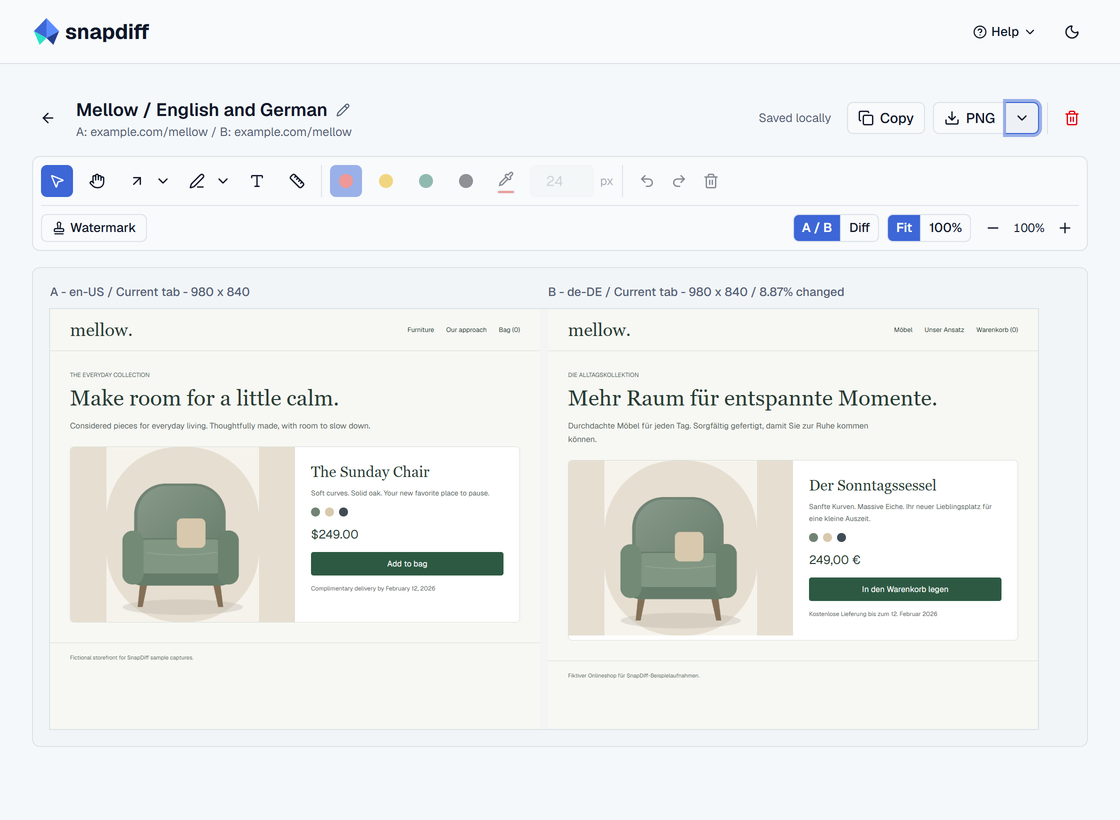
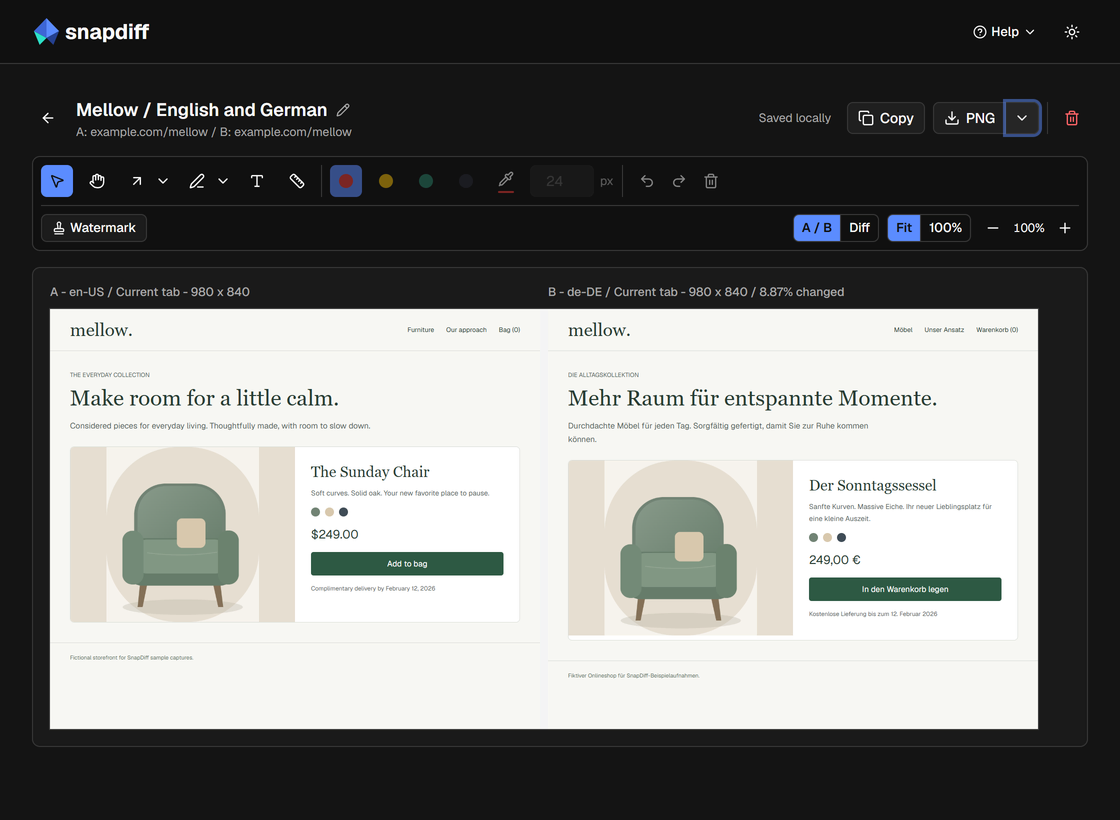
The website supplies the translations. If it uses its own language picker or a separate language URL, choose that version on the site first. Reloading a live feed may refresh the content shown.
Firefox can review and export saved localized captures; create new language simulations in Chrome. See browser compatibility.